Attach a note to an app
Create a note for the app in front, or attach an existing note from the library.
 AnchorNotes
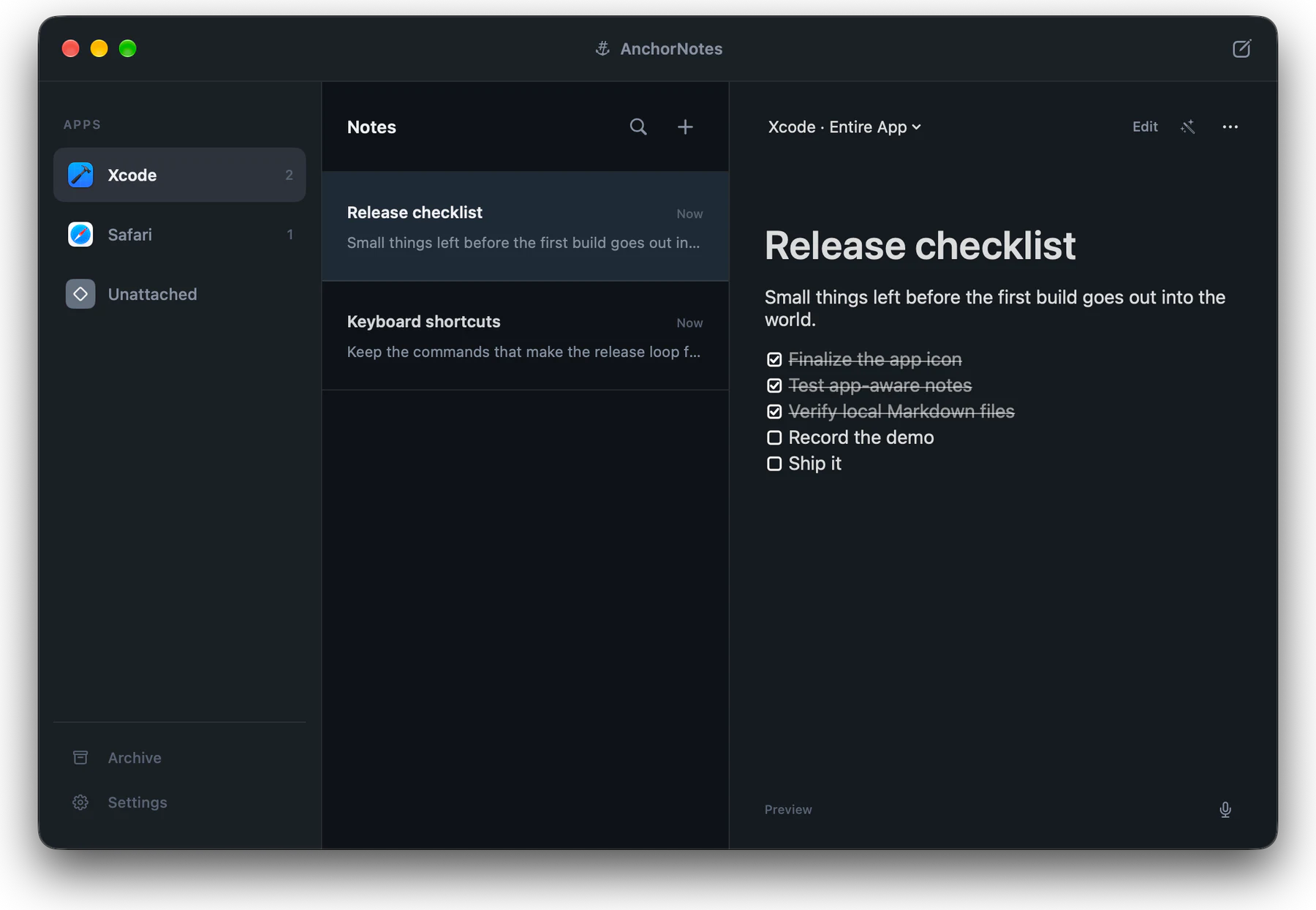
Attach notes to Mac apps. When you switch apps, AnchorNotes brings back the notes that belong to the one in front.
Free to download · Requires macOS 15 or later
HOW IT WORKS
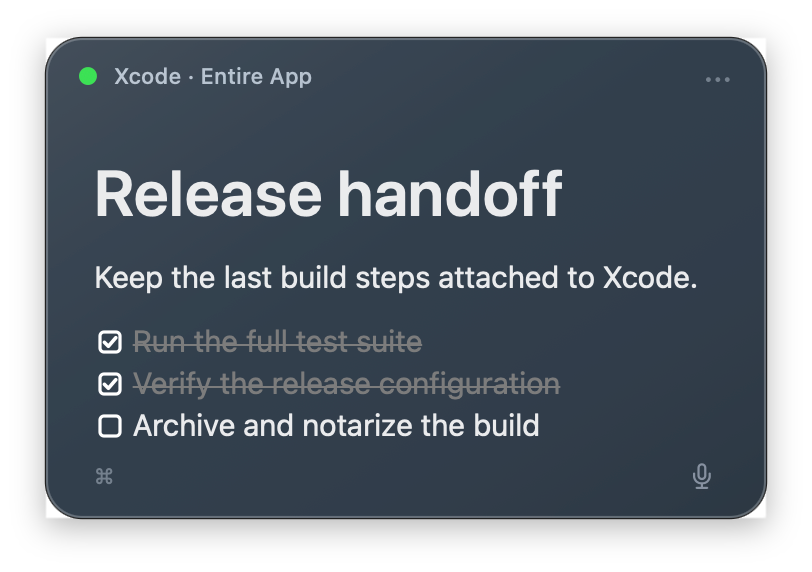
Create a note for the app in front, or attach an existing note from the library.
Keep moving through your work as usual. There is nothing to reopen or search for.
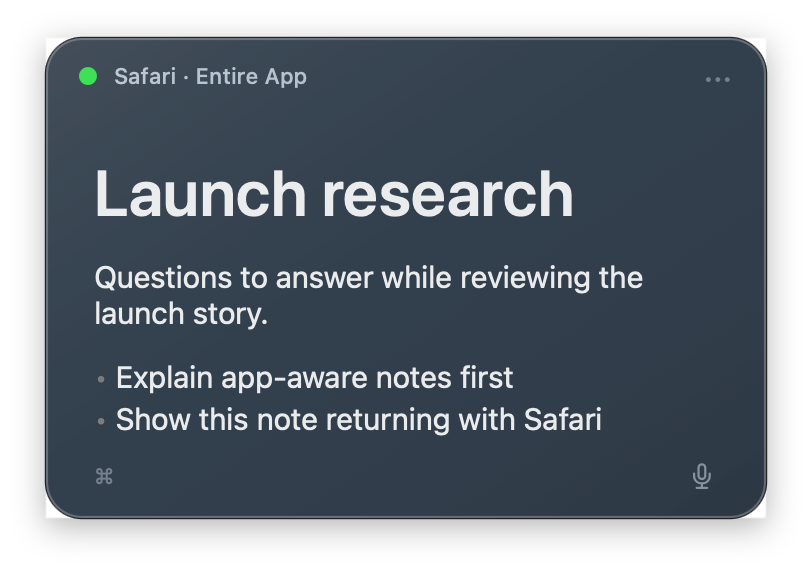
AnchorNotes restores the active app’s notes in their saved position and hides notes attached to other apps.
INSIDE THE APP
Explore app-aware notes, Markdown tools, speech to text, customization, and window attachments.
App-aware notes
Browse everything from the library, then let the notes attached to the active app return beside it.
NEW IN 1.1 · EXPERIMENTAL
Keep a shared note attached to the whole app, or make a note follow one window for the current session. App-wide notes remain the default.
Window attachments are optional and experimental. Support can vary between apps; complete behavior and permission details are in Support.
Set up window attachmentsMADE FOR REAL WORK
DEVELOPMENT
Xcode · Terminal · Android Studio
Keep implementation details, commands, test data, and release checklists beside the tools where they matter.
Run integration tests before creating the release build.
DESIGN
Figma · Sketch · Adobe apps
Carry review feedback, design tokens, export requirements, and unresolved decisions back into every session.
Confirm the empty-state spacing before handoff.
MEETINGS
Zoom · Teams · FaceTime
Bring agendas, questions, talking points, and follow-up tasks into view when the conversation begins.
Ask about launch scope, owner, and next review date.
YOUR NOTES ARE FILES
Each note is stored as a plain Markdown file in your local AnchorNotes folder. Open it from AnchorNotes, inspect files in Finder, edit them with any text editor, back up the folder, or sync it through a service you trust.
Separate local metadata remembers each note’s app, position, color, and display mode without cluttering the Markdown.
# Release checklist

Small things left before shipping.

- [x] Finalize the app icon
- [x] Test app-aware notes
- [ ] Record the demo
- [ ] Ship it
BUILT LIKE A MAC APP
Capture without leaving the keyboard, keep selected notes above other windows, and let every panel remember where it belongs.
ON-DEVICE INTELLIGENCE
Polish, shorten, or restructure a note using Apple's on-device model and your own prompt. Requires macOS 26 and Apple Intelligence.
SPEECH TO TEXT
Dictate directly into a note, review the live transcript, and insert it at your selection. Speech stays on-device on macOS 26 and does not require Apple Intelligence.
SIMPLE PRICING
EVERY FEATURE INCLUDED
$0Free forever
Use every AnchorNotes feature for free, with no time limit.
UNLIMITED NOTES
$9.99USD · One-time purchase
One purchase removes the five-active-note limit. Every feature is already included in Free.
US price shown. Apple sets localized prices by region.
PRIVATE BY DESIGN
AnchorNotes does not collect your notes, titles, app associations, Markdown content, or local AI prompts. Optional rewriting and dictation are handled on-device and your notes remain in files you control.
Read our privacy policyTHE DETAILS
AnchorNotes requires macOS 15 or later. Dictation requires macOS 26. Rewriting requires macOS 26 and Apple Intelligence; dictation does not require Apple Intelligence.
Yes. The free edition includes every feature and up to 5 active notes. AnchorNotes Pro is a $9.99 USD one-time purchase that unlocks unlimited active notes. Apple sets localized prices by region.
Each note is stored locally as a readable Markdown file in the AnchorNotes folder. Choose Open Notes Folder in the app to reveal it in Finder. Small metadata files stored beside your notes remember details such as the associated app, color, position, size, and display mode.
Yes. AnchorNotes does not require an account or provide a proprietary cloud. You can back up, version, or sync the complete AnchorNotes folder with tools you already trust; those services’ own policies apply.
Attach a note to an entire Mac app, or keep it unattached so it stays independent of app focus. You can also enable experimental window attachments in Settings, then choose a specific window for each note. Existing and new notes stay app-wide until you choose a window.
On macOS 26, click the microphone in a note and speak. The main viewer shows a live transcript dock while floating notes animate the microphone control. Use the active control to insert the transcript at your selection, or press Escape to cancel. Apple’s Speech framework processes the audio on-device, and AnchorNotes does not store the recording.
On macOS 26, AnchorNotes can use Apple’s on-device Foundation Models framework to rewrite a note with your editable prompt. This requires a Mac that supports Apple Intelligence with Apple Intelligence enabled. Note content processed by this feature is not sent to AnchorNotes.
Window attachments work without it, using numbered window labels. The optional Show window names action requests Screen Recording access because macOS protects other apps’ window titles with that permission. AnchorNotes uses it to read window names locally; it does not capture your screen.
AVAILABLE ON THE MAC APP STORE
Download AnchorNotes and start free. Pro is available as a one-time upgrade.
Download on the Mac App Store